PHOTO EDITING
ASSALAMUALAIKUM AND HI EVERYONE!!!
Welcome back to my blog. I hope you have a wonderful and pleasant day.
Last few weeks, my lecturer, Madam Jo has asked us to edit photos by using several photo editing apps. I’m going to share with all of you the photos that I’ve edited by using VSCO, Photoshop and Picsart.
Feel free to drop your comments below J
1) ADOBE PHOTOSHOP
 |
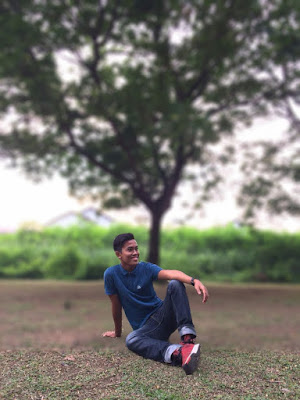
This is a photo of my classmate, Ibrahim, relaxing in a park.
Adobe Photoshop is a raster graphics editor developed and published by Adobe Systems for Windows. It can edit and compose raster images in multiple layers and supports masks, alpha compositing and several color models. The picture above consists of a complete object in focus with blurred background.
|
2) VSCO
 |
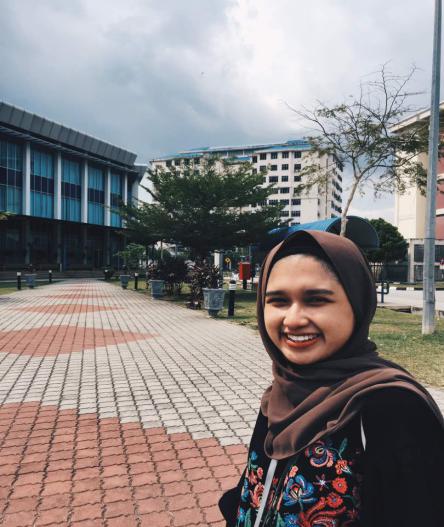
A picture of me at Pesta Penang.
( My lecturer instructed my class to post pictures that they took in the class on that day but I was absent. So I decided to use this picture. )
VSCO is an app that allows users to capture photos in the app and edit them, in part through the use of its filters. Users can publish their photography through a journal for the public to see.
Here I provide the adjustment details of the picture above :
· Recipe: Filter HB1 (+8)
· Exposure: (0.1)
· Contrast: (1.1)
· Saturation: (-1.0)
· Temperature: (-2.0)
· Skin tone: ( +1.4)
· Highlights: (+2.9)
3) PICSART

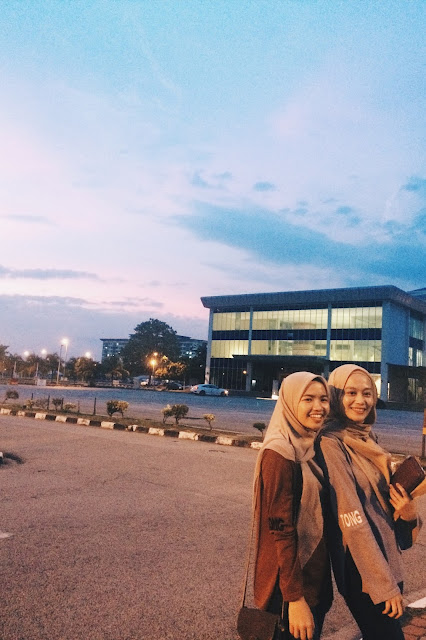
That’s me and my beautiful girls.
PicsArt's all about making awesome pictures and having fun by remixing free-to-edit pictures into awesome collages & memes.To edit the photo above, I used free crop to crop the picture, select background and add text to write the “babygirls”.
So, that’s all from me today. I hope you can learn a bit about photo editing after reading my post and you can try editing your pictures by using the above mentioned photo editor apps.
Assalamualaikum and till we meet again. <3
|
Comments
Post a Comment